
Download AI Presentation Maker – AI‑powered presentation tool, fast, secure
Overview
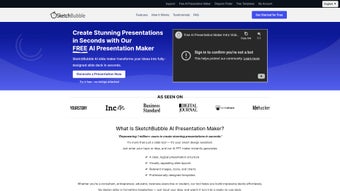
AI Presentation Maker, developed by SketchBubble, is a cloud‑native presentation creator that leverages advanced artificial‑intelligence algorithms to transform simple text inputs into fully designed slide decks within seconds. The service is built for professionals who need polished visuals without spending hours tweaking layouts, as well as educators, marketers, and freelancers who want to produce compelling decks on tight deadlines. By entering a brief outline—such as “Quarterly revenue review for a SaaS startup”—the AI instantly generates a cohesive narrative, selects appropriate charts, suggests relevant icons, and applies a harmonious colour palette that matches the chosen branding.
Because the application runs entirely in a modern web browser, users avoid heavyweight installations, and all updates are pushed automatically from SketchBubble’s secure servers. The platform also offers real‑time collaboration, encrypted cloud storage, and a flexible subscription model that includes a 14‑day free trial, unlimited cloud projects, and premium asset libraries. Whether you are preparing a boardroom pitch, a classroom lecture, or a product showcase, AI Presentation Maker promises to cut design time dramatically while delivering professional‑grade results.
Key Features, Benefits & Pros / Cons
- AI‑Driven Slide Generation – type a short brief and receive a complete deck with intelligent layouts.
- 500+ Design Templates – industry‑specific themes for business, education, tech, and creative sectors.
- Smart Media Suggestions – royalty‑free images and icons matched automatically to slide content.
- Real‑Time Team Collaboration – multiple editors, live cursors, and comment threads.
- Brand Kit Integration – upload logos, colour palettes, and fonts for instant brand‑consistent styling.
- Multi‑Format Export – PowerPoint (.pptx), PDF, Google Slides, HTML5, and shareable live links.
- Secure Cloud Storage – AES‑256 encryption at rest, TLS 1.3 in transit, GDPR‑compliant.
- Continuous AI Improvements – weekly model updates, new templates, and performance boosts.
- Multi‑Language Support – English, Spanish, French, German, and dozens of additional languages.
- Flexible Pricing – free trial, basic plan with slide limits, and unlimited premium subscription.
Why These Features Matter
The combination of AI‑generated design and a deep template library means users no longer need to hunt for the right slide layout or spend time aligning graphics. The Brand Kit ensures every presentation adheres to corporate guidelines automatically, eliminating the risk of off‑brand visuals. Collaboration tools mirror the functionality of leading office suites while keeping all changes synced in the cloud, which is essential for distributed teams. Security features such as end‑to‑end encryption and ISO 27001 certification give businesses confidence when handling confidential data. Finally, the ability to export to multiple formats guarantees compatibility with any client or stakeholder, whether they prefer PowerPoint, PDF, or an embedded web version.
Pros
- Speed: Generates complete decks in under a minute, reducing design time by up to 80 %.
- AI Quality: Context‑aware suggestions keep slides professional and on‑brand.
- Cross‑Platform: Works on Windows, macOS, Linux, Android, and iOS via the browser.
- Collaboration: Real‑time editing and commenting streamline teamwork.
- Security: Encrypted storage and compliance certifications protect sensitive information.
- Export Flexibility: Multiple file formats and live‑link sharing options.
Cons
- Requires an active internet connection for full functionality.
- Subscription cost may be higher than basic free slide makers for solo users.
- AI suggestions occasionally need manual tweaking for highly specialized content.
- Large media uploads can be slower on limited bandwidth connections.
- New users may need a brief learning period to understand AI‑driven workflows.
Installation, Setup, Compatibility & Frequently Asked Questions
Getting Started – No Download Required
Because AI Presentation Maker is a SaaS solution, the onboarding process is reduced to creating an account and signing in. Begin by visiting the official product page, clicking “Start Free Trial,” and completing the email verification step. After logging in, the dashboard presents a clear “Create New Presentation” button.
Enter a concise description of your goal, pick a template category, and let the AI work its magic. Within 30‑60 seconds a full slide deck appears, ready for you to edit, rearrange, or fine‑tune. When the deck meets your standards, choose “Export” and select the desired file format—PowerPoint, PDF, Google Slides, or HTML5.
Desktop & Mobile Access
Although the core experience lives in the browser, SketchBubble also supplies native wrappers for Windows, macOS, Android, and iOS. These wrappers launch the web app inside a secure container, offering offline caching for recent projects and a native‑app feel. To install the desktop client, download the signed installer from the “Downloads” area of your account, run it, and follow the on‑screen prompts. Mobile apps are available on Google Play and the Apple App Store; they sync automatically with your cloud library using the same credentials.
System Requirements
- Windows 10/11: Chrome, Edge, or Firefox (latest) – full feature set.
- macOS Monterey+: Safari, Chrome, or Firefox – all functionalities supported.
- Linux (Ubuntu 20.04+, Fedora 33+): Chrome or Firefox – AI engine runs flawlessly.
- Android 8.0+: Chrome or SketchBubble app – creation, editing, export.
- iOS 13+: Safari or SketchBubble app – full editing and cloud sync.
The client device only needs a stable internet connection (minimum 3 Mbps recommended) and a modern GPU for smooth canvas interaction. No large local storage is required because all assets reside in the encrypted cloud.
FAQ – Answers Powered by Structured Data
Is there a free version of AI Presentation Maker?
Yes. SketchBubble offers a 14‑day free trial with full access to premium templates, AI generation, and export options. After the trial, a basic free plan remains, limiting slide count per project but still allowing you to explore AI‑assisted design.
Can I apply my own branding (logo, colours) to the slides?
Absolutely. The “Brand Kit” feature lets you upload a logo, define brand colours, and select typography. The AI then automatically applies these assets across every slide for a consistent look.
How secure is my data stored in the cloud?
All presentations are encrypted at rest with AES‑256 and transmitted over TLS 1.3. SketchBubble holds ISO 27001 certification and complies with GDPR, ensuring that confidential business information stays protected.
Can multiple team members edit a deck simultaneously?
Yes. The collaborative editor supports real‑time multi‑user editing, live cursor indicators, and a comment system for feedback. Permissions can be set to view‑only for stakeholders.
Which export formats are supported?
AI Presentation Maker can export to Microsoft PowerPoint (.pptx), PDF, Google Slides (via a shareable link), and HTML5 for embedding presentations directly on websites.
Conclusion & Call to Action
AI Presentation Maker by SketchBubble reshapes how quickly and intelligently you can produce high‑impact slide decks. By blending natural‑language processing with design best practices, it removes the tedious back‑and‑forth of manual formatting, letting you concentrate on storytelling and data insight. The platform’s robust feature set—including brand‑consistent templates, real‑time collaboration, and secure cloud storage—makes it a compelling choice for businesses, educators, and freelancers alike.
While a reliable internet connection and a subscription are required for unlimited use, the time saved and the professional polish delivered far outweigh the costs. Ready to experience a faster, smarter way to create presentations? Start your free trial today and see how AI‑driven slide creation can boost your productivity.



.png)



